What makes a guestbook interactive?
The defining feature is participation with purpose. Instead of leaving a name, a guest completes a small action that changes the keepsake: attaching a photograph, recording a voice message, adding a place, or answering a prompt. The couple receives the context around who was there.
“Interactive” does not have to mean digital. A postcard collection or collaborative illustration can be interactive too. Digital tools add navigation, media, or ongoing organization, but they should still begin with an understandable invitation. Ask whether the guest action creates something you will want to revisit.
Choose the interaction before the technology
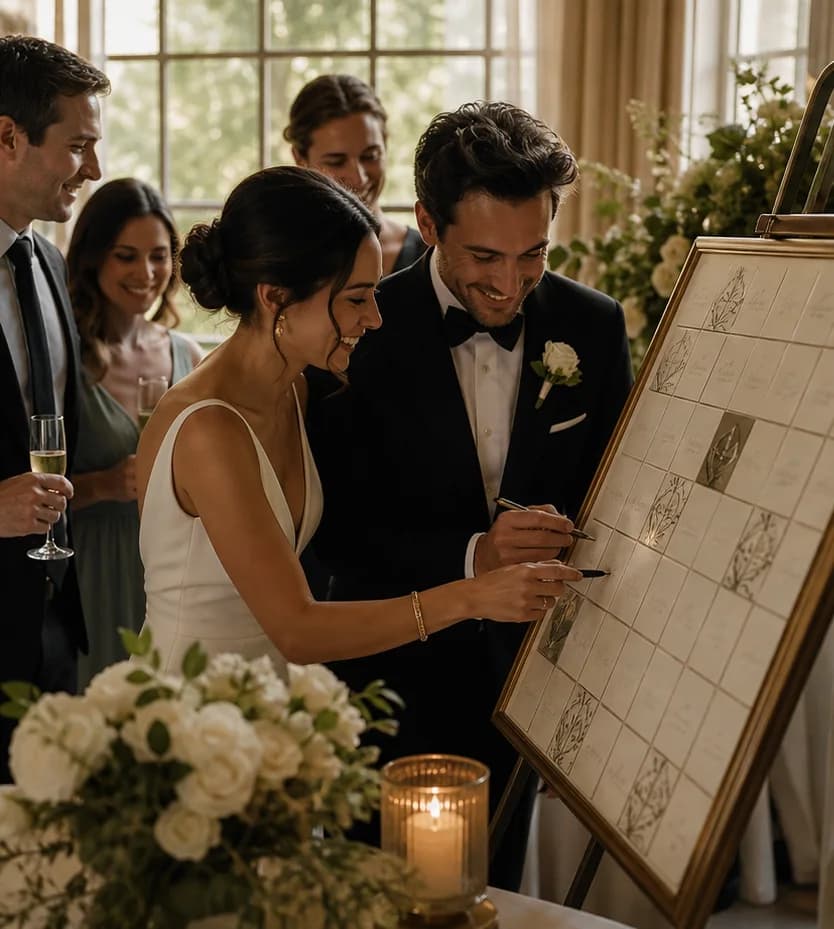
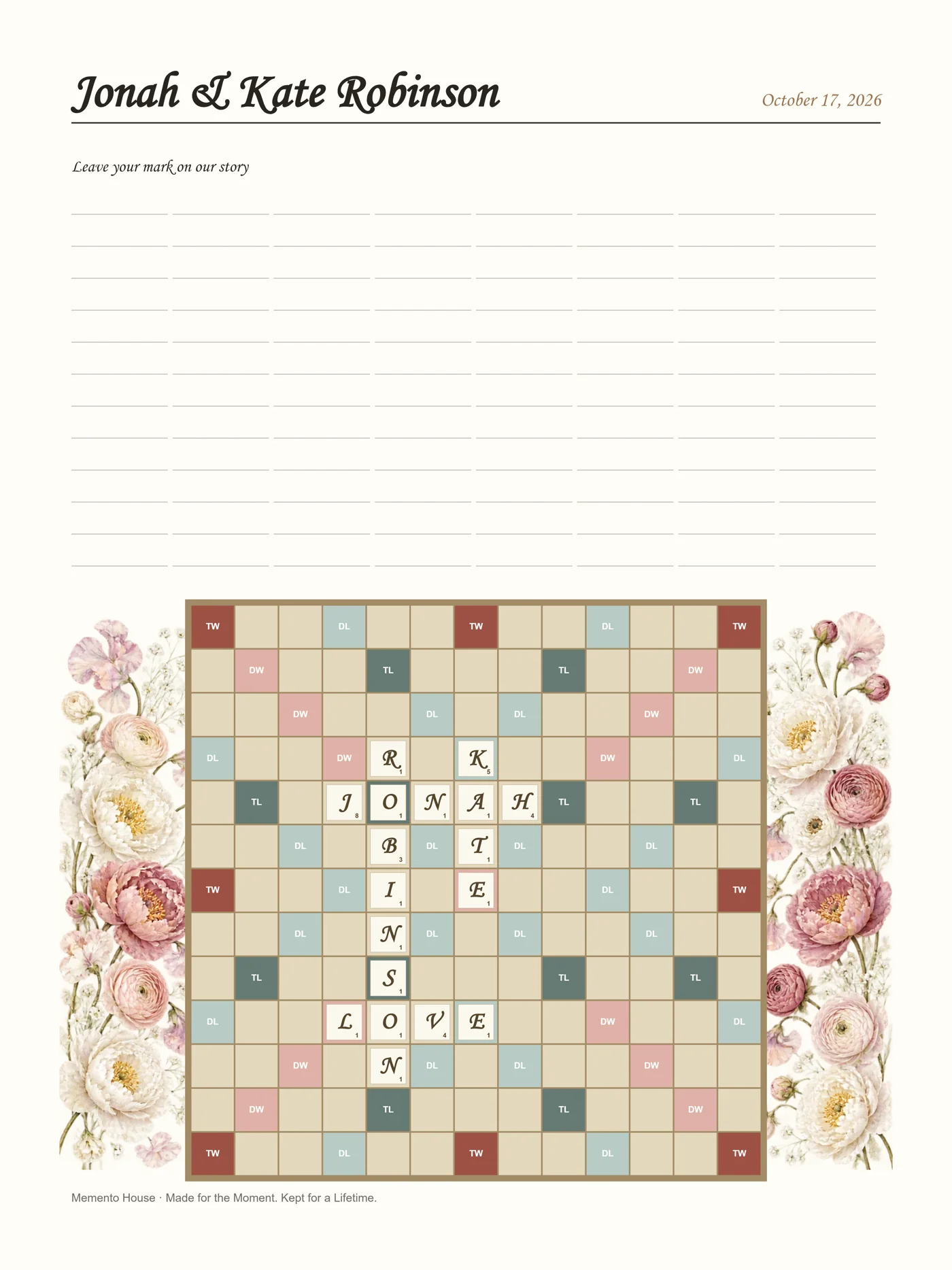
Photo albums invite a picture and caption. Audio invitations preserve voices. Prompt cards gather stories and advice. Maps connect people to places. Timelines place memories beside your own milestones. Games and puzzles can add playfulness, provided the result is worth keeping.
Consider your guests’ comfort with each format. A quiet written prompt may suit someone who dislikes being filmed. A group photo can involve people who do not know what to write. A QR contribution is convenient for smartphone users, but a physical alternative helps when someone has no phone or prefers handwriting.
How a Memento Map works
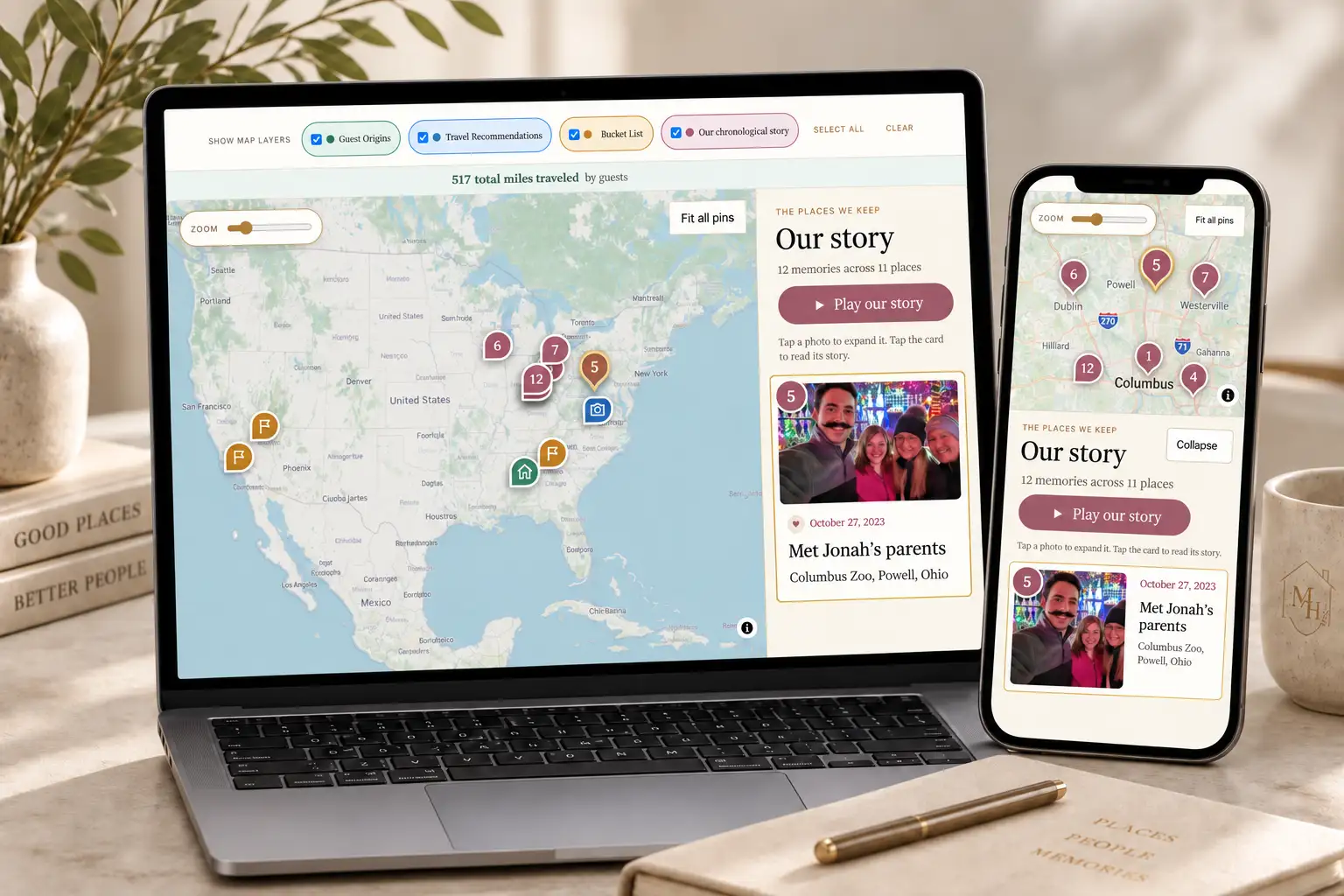
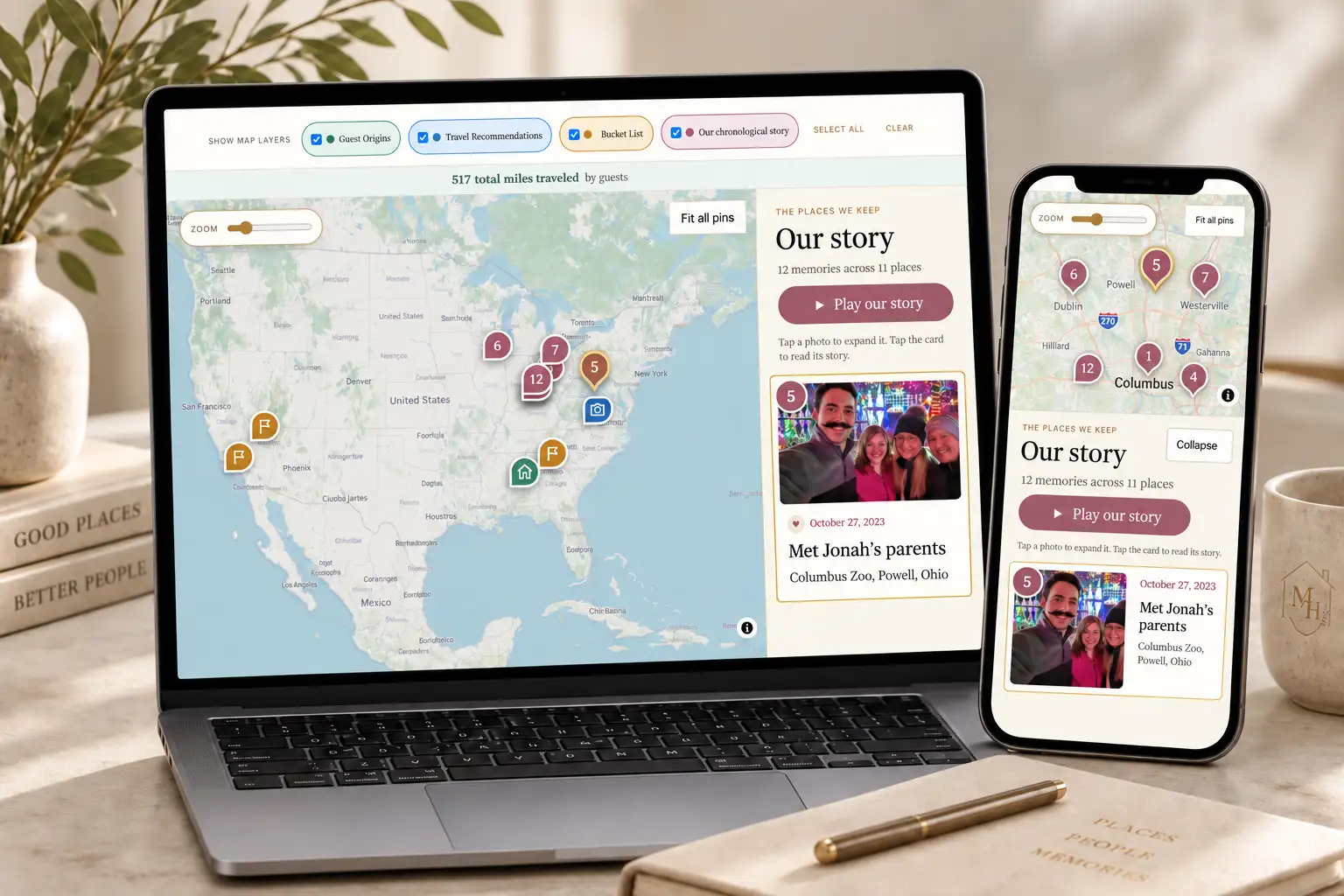
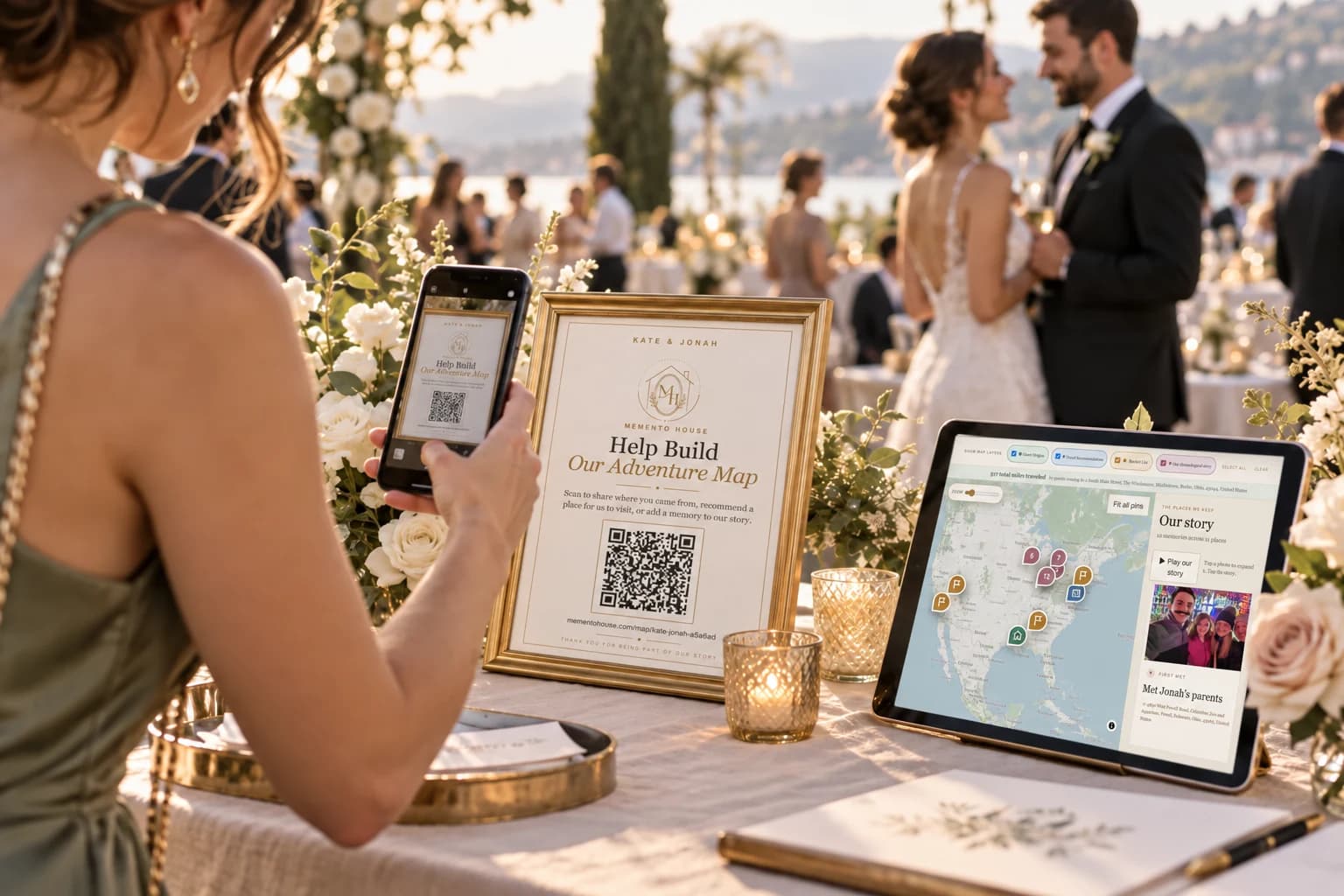
A guest scans your QR code or opens the same shared link in a browser. They add a real place using location search and leave the information invited by your selected package. Places and messages appear in the shared map experience. The couple can return to the map through their own dashboard.
For Timeline Plus, guests can also add a separate dated memory. Map Plus lets the couple bring recommendations into a Travel Journal. Do not ask guests to learn every feature at once: introduce the first place contribution, then let optional next steps stay optional.
- Scan a sign or open the shared link.
- Add a meaningful place or where you traveled from.
- Leave a recommendation or contribution supported by the package.
- See how the places form one shared experience.
- Return later to revisit the stories and plan what comes next.
See what guests experience
The sample wedding map is the clearest way to understand the interface before you purchase. Explore origins, relationship places, recommendations, and the chronological story. It uses sample content to demonstrate the product, rather than another couple’s private dashboard.
Try it on the phone you would use at the reception. Notice the contribution prompts and how you navigate between the map and story. Then review the package description so you know which parts of the demonstration are included in the plan you choose.
Before, during, and after the wedding
Before the wedding, prepare your details and relationship places, decide which contributions to invite, and test the signs. During the event, explain the activity briefly, place invitations where people pause, and give guests time to join naturally.
Afterward, explore what people shared and keep the contributions organized. Map Plus can turn recommendations into plans; Timeline Plus lets your relationship story continue chronologically. Export files in Plus and Timeline Plus can become a physical print you arrange separately. You are choosing a lifecycle, not just a reception display.
Make participation accessible and comfortable
Place signs and physical materials where people can reach them without entering a crowd. Use readable contrast, a short instruction, and someone who can answer questions. Keep cameras and recording stations voluntary and avoid turning personal messages into public entertainment.
If the venue has unreliable internet, prepare a paper option. If you use a display, check what it shows and whether private information could be visible. Start with the information guests actually need to contribute and let them choose how much to share.
Choose the format you will keep using
An interactive map suits people who enjoy places and future ideas. A physical signature piece suits people who want artwork. Audio and photo formats suit people who want voices or images foremost. There is no universal winner: choose the activity that creates the keepsake you care about.
Use the quiz to narrow the choice, then try the demo if a map is on your shortlist. Review setup needs and package features before you purchase so the reception invitation matches the experience guests will actually open.
Write an invitation with a visible finish line
A guest-facing invitation should name the action and the result. “Tell us a place we should visit and why” is clearer than “Try our interactive guestbook.” “Take a photo together and add your names” tells a group how to begin and when they are finished. A brief primary contribution gives guests confidence that they can participate without missing the celebration.
Offer deeper contributions as optional. Someone may want to write a story, recommend several places, or add a photograph; another guest may only have a minute. Treat both as useful contributions. Do not make a long recording or elaborate activity the only route into the keepsake. Test your invitation with a friend who has not helped plan it.
Use a host to remove awkward first steps
A wedding-party member can demonstrate a station early, show where materials belong, or explain the QR invitation at a table. Their role is to help people understand the activity, not to supervise completion. A short example also makes an empty book, map, or photo display feel ready to join.
Choose a helper who can step away when the ceremony or speeches begin. Brief them on the main action, where supplies are stored, and what to do if the internet or camera fails. A written fallback protects the guest experience. For an interactive map, show them how the public link opens and how guests can add a meaningful place without creating an account.
Keep interaction connected to your relationship
Choose prompts that someone can answer from their own experience. A friend may remember a trip, a relative may know an early relationship story, and someone who met you recently may have a thoughtful wish. All of them can contribute without knowing wedding trivia or performing for a crowd.
A map gives geographic contributions a shared context, but not every memory needs a location. If most of what you want is handwriting or voices, a different format may fit better. If you want recommendations, guest origins, and a story you can revisit, explore the sample map and compare the available packages before planning your invitation.
Questions worth asking
Do guests need an app for Memento Map?
No. The shared link opens in a browser; guests do not need to create an account to contribute.
Does every package include the chronological story?
No. The chronological timeline and dated guest-memory experience are included with Timeline Plus. Compare the current package details before purchase.
 Guest Participation
 Guest Book Ideas
 QR Codes